
Locked in P6
An XER is hard to read without P6, and many people who need the data have no license.

Organized schedules, earned value reports and a one-page Level 1, built from any Primavera P6 XER, inside Excel.
XER EVM Code Organizer Pro reads an XER exported from Primavera P6 and builds ordinary Excel sheets you can filter, print and share.
 ImportRead the XER, grouped by WBS or any activity code
 OrganizeOutline levels, roll-ups and a Gantt on the sheet
 AssessDCMA 14-point schedule checks
 Earned valuePV, EV, AC and indices in hours and dollars
 Level 1A one-page executive Gantt
 ShareA clean .xlsx, or back to P6 as an XER
P6 does not need to be open or installed to work with the reports. Everything lives in Excel, where your team already works.
An XER is hard to read without P6, and many people who need the data have no license.

EVM and progress reports are often rebuilt by hand in Excel each month.

Cutting a one-page executive schedule from a detailed P6 schedule is slow.

Sharing outside P6 usually means PDFs that nobody can filter.
Every image below comes from the add-in running on the Onshore EPC sample XER: 226 activities, status date 04-Aug-19.
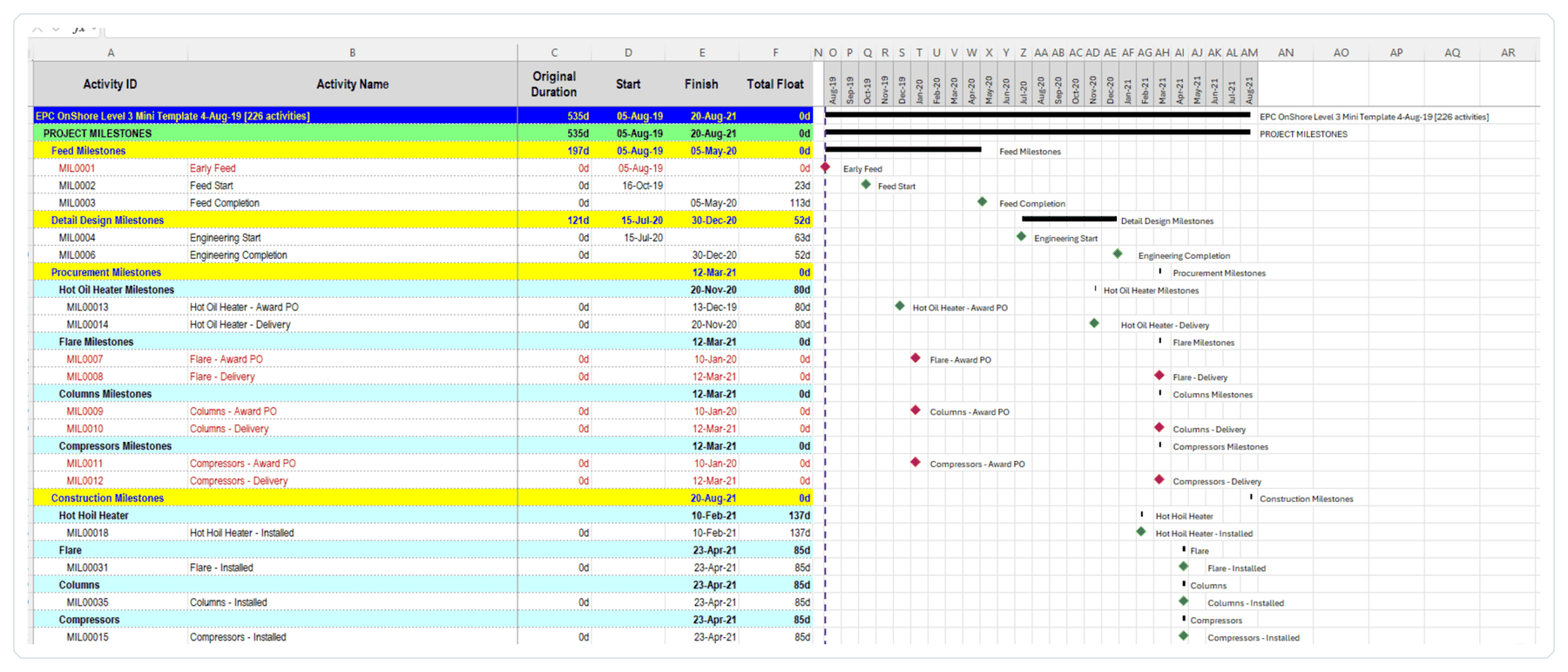
Import the XER grouped by WBS or by any activity codes, in the order you choose.
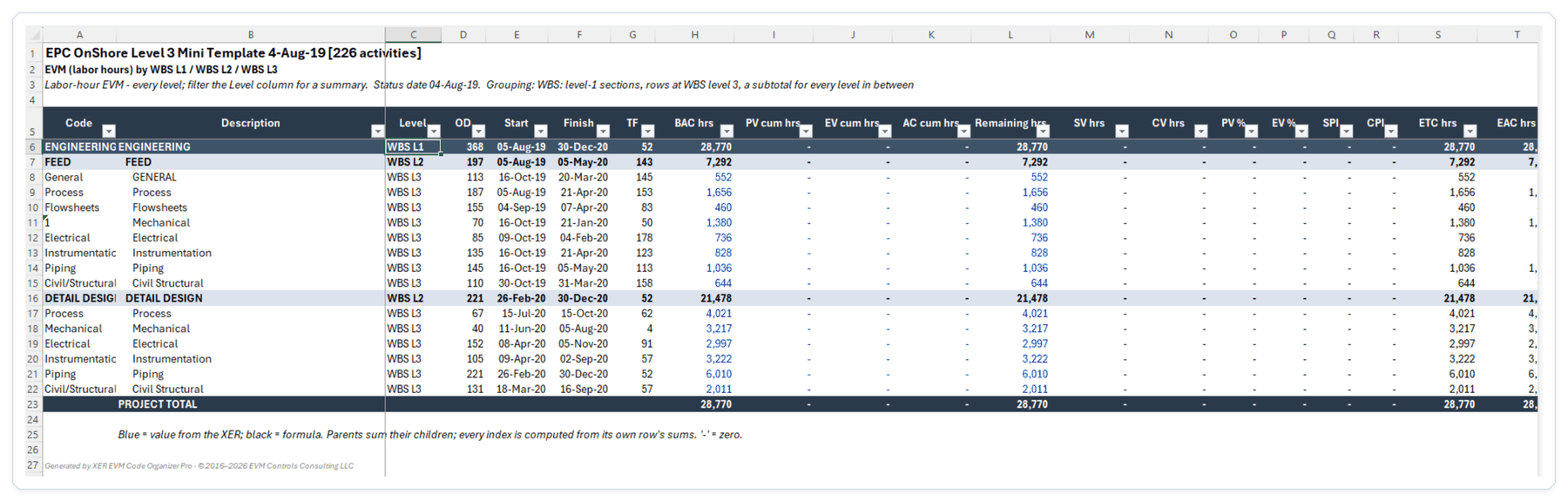
PV, EV, AC and the performance indices, rolled up by WBS or activity code.
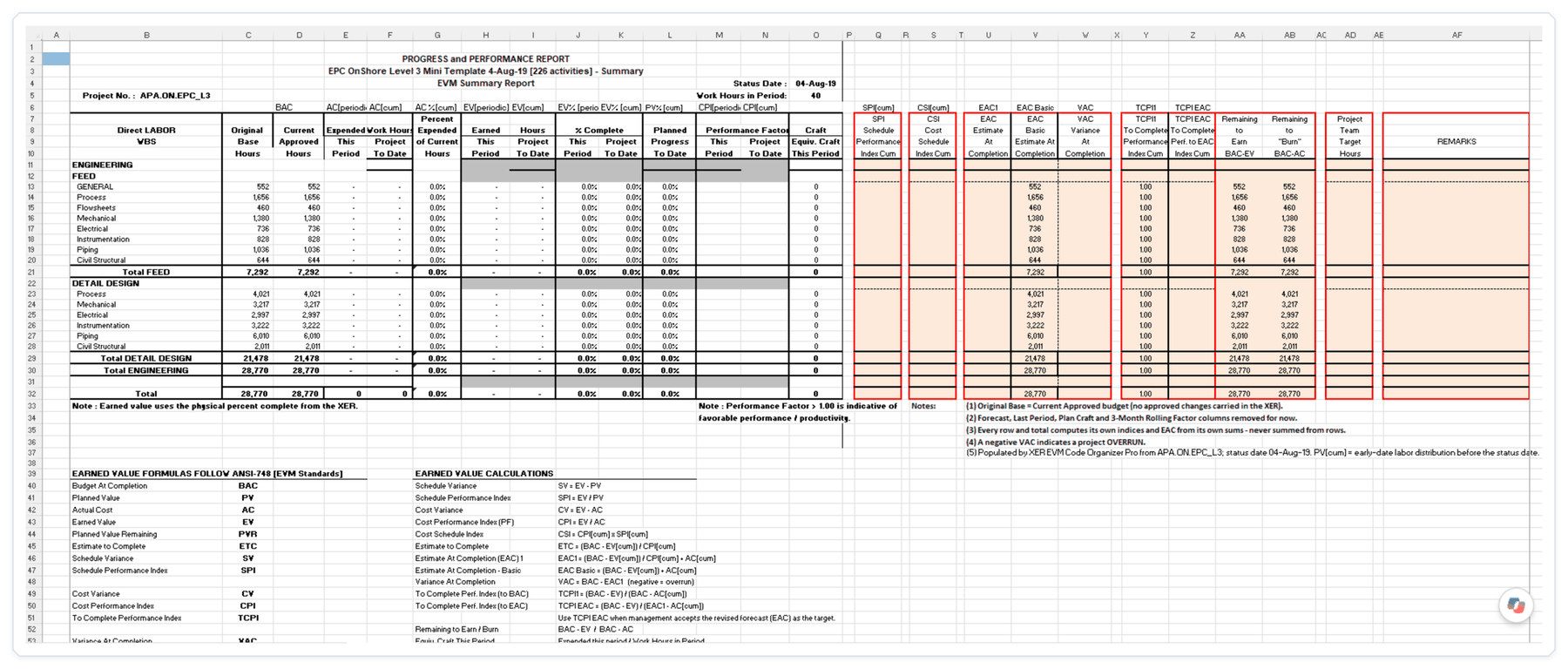
The progress and performance report your team already expects, built in seconds.
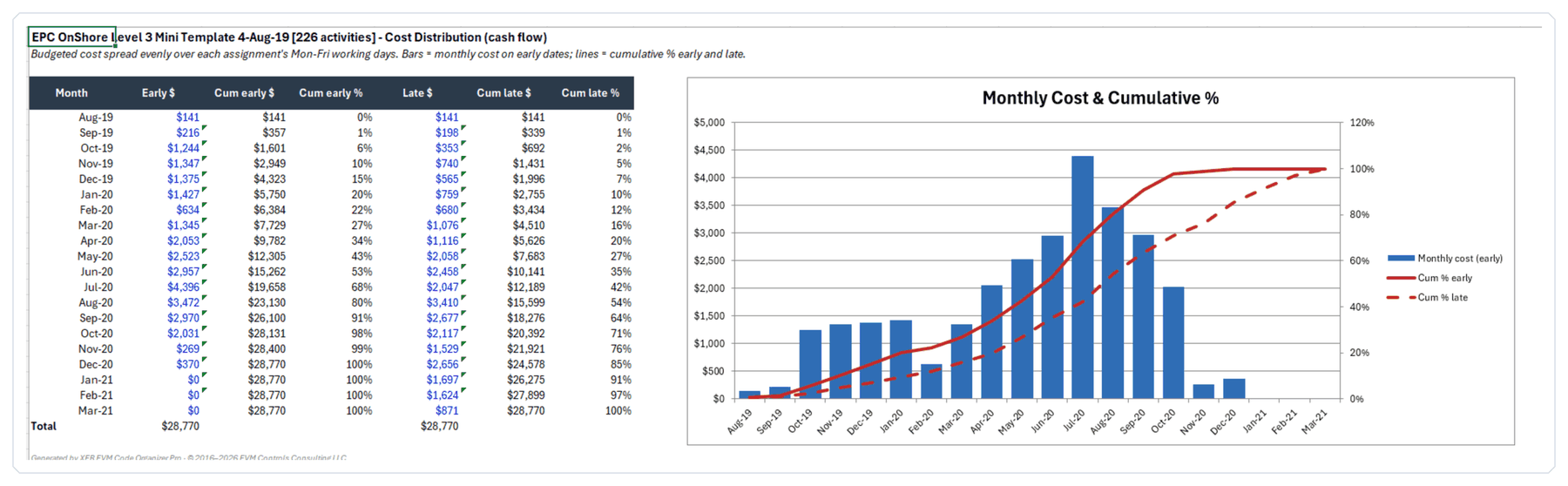
Budget spread over Monday–Friday working days, with early and late cumulative curves.
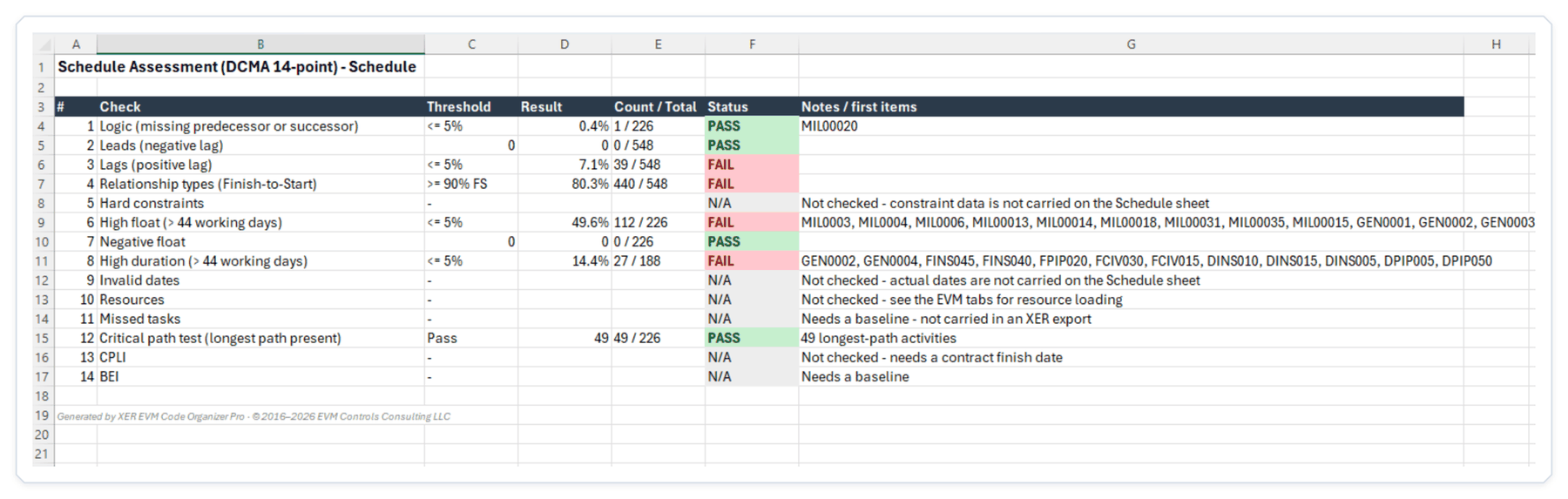
The DCMA 14-point checks with thresholds, counts and the first activities to fix.
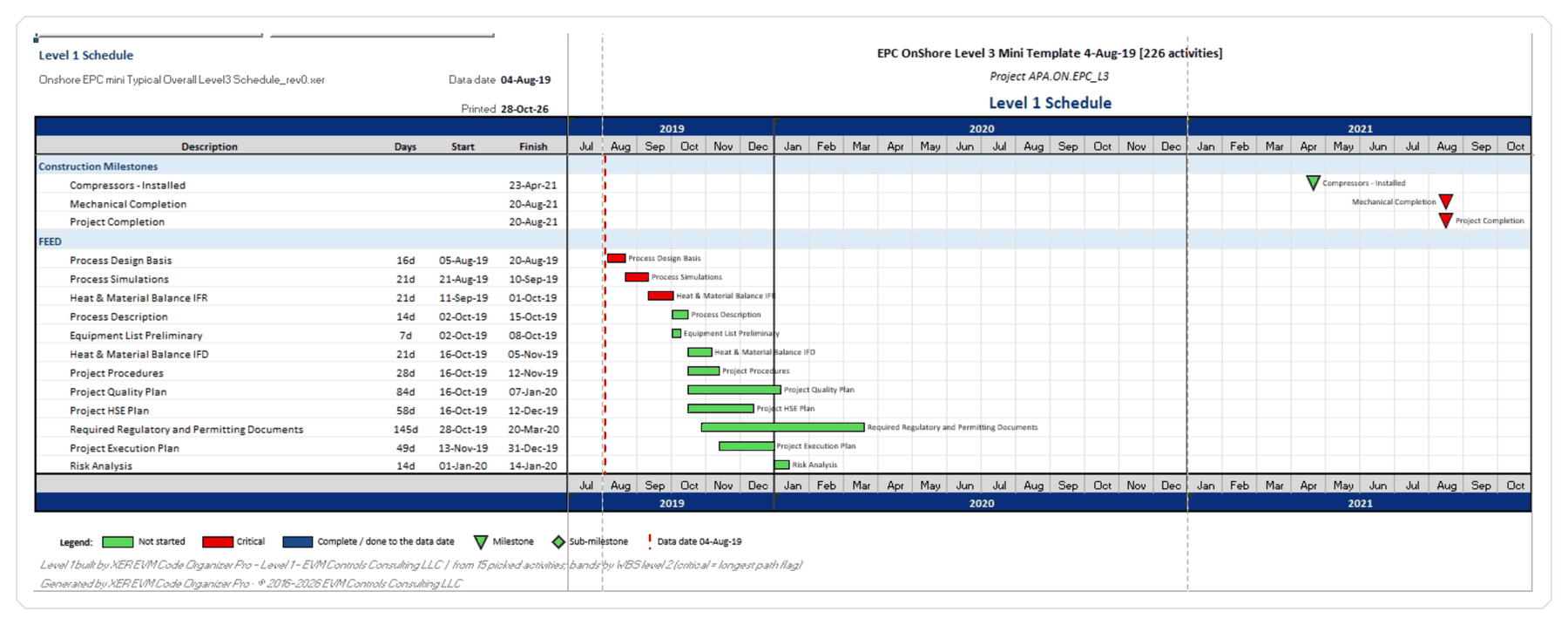
Choose the lines, refine them on the L1 Map – rename, reorder, recolor or switch off – then build.
 Way A
Mark them on the L1 Picker, using filters on WBS, status or any activity code.
 Way B
One line per activity-code value, from its earliest start to its latest finish.
 Way C
Each activity tagged with the code becomes its own line with its own dates.
11x17LetterLegalA3A4


Capital projects · EPC · oil and gas · LNG · petrochemical · refining · power · data centers
The tool your team already knows and owns.
Critical and Driving flags follow P6's own method, so reviews line up.
Recipients need Excel only, not the add-in and not P6.
WBS, any activity code, or both, at any level.
Built by practitioners. Developed by EVM Controls Consulting LLC, led by Cesar Ramos, with 26+ years in schedule analysis and earned value on capital projects.
A clean .xlsx copy with no add-in code. Every sheet and number, ready to email.

Write the organized schedule back to an XER that P6 can import.

Desktop Excel, Microsoft 365 recommended. Not for Mac, Excel Online or mobile.
Windows installer, about 5 MB. If Windows shows “Windows protected your PC”, click More info > Run anyway. Then open Excel. Quick Guide (PDF)
Install the trial first: checkout asks for your Machine ID, shown in Excel under Add-ins > XER EVM Code Organizer Pro > License. Your key is emailed to you, usually within one business day. Enter your email and key in the same License window. Moving to a new computer? Email info@evmcs.com with the new Machine ID.
Import your first XER and see your schedule, EVM and Level 1 in Excel today.